

You love the fresh, welcoming scent your AromaDrive brings to your car until one day, it seems to stop working. Before you worry about a faulty unit, take a deep breath. Most of the time, the issue is a simple fix.
Based on our customer support experience, here are the top reasons your AromaDrive might not be working and exactly how to solve them.
Step 1: Check the Obvious – Is There Oil in the Bottle?
This might sound simple, but it’s our number one troubleshooting tip. The diffuser will not operate if the oil bottle is empty. The unit has a safety mechanism to prevent damage.
The Fix: Gently remove the bottle from the diffuser and check the oil level. If it’s low or empty, simply refill it with your favourite Ador Scent. Make sure the bottle is securely reattached before trying again.


Step 2: Are You Using the Right Mode for the Right Place?
The AromaDrive has two intelligent operating modes: Car Mode and Home Mode. Using the wrong setting for your environment is a common cause of confusion.
- In the CAR: Ensure the unit is set to Car Mode. In this setting, it uses your car’s vibrations to detect when the engine is running. If you take it indoors and leave it on a desk in Car Mode, it will automatically switch off due to lack of movement. This is a feature, not a fault!
- In your HOME or OFFICE: Switch the unit to Home Mode. In this mode, it runs on timed cycles for safety and efficiency.
If your diffuser is in Home Mode but turns off after a while, it’s likely just following its programmed schedule.
Home Mode is designed to run for a set period and then automatically shut off. You can control this duration with the Home Timer Button:
- 1 Blue Light: Runs for 2 hours, then switches off.
- 2 Blue Lights: Runs for 4 hours, then switches off.
- 3 Blue Lights: Runs for 6 hours, then switches off.
The Fix: Simply press the Power Button to turn it back on for a new cycle. If you want longer continuous operation, set it to 3 lights (6-hour mode).
Step 3: Ensure a Full Charge with the Right Cable
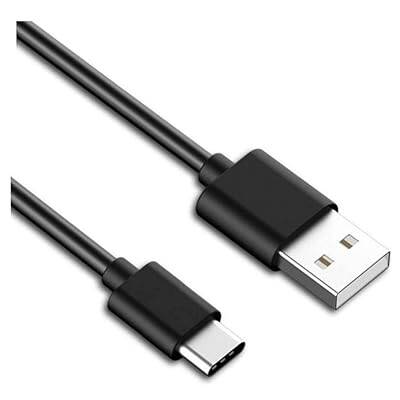
Battery issues are often related to charging. For the best results, always use the USB cable supplied with your AromaDrive.
Check the LED indicator light:
🔴 Red Light Flashing: This means the battery is low. The unit needs to be charged.
🔴 Red Light Solid (Always On): This means the unit is currently charging. Leave it plugged in.
🟢 Green Light Solid: Congratulations, your AromaDrive is fully charged and ready to use.
Pro Tip: Avoid using old or low-quality phone charging cables, as they may not provide consistent power. Stick with the supplied cable for reliable charging.
Quick Troubleshooting Checklist:
[ ] Oil Level: Bottle is filled.
[ ] Mode Setting: Car Mode for car, Home Mode for desk.
[ ] Timer Cycle: In Home Mode, remember it auto-shuts after 2, 4, or 6 hours.
[ ] Charge Status: Use the supplied cable; look for a solid green light.
Most issues are resolved by one of these four steps. Our intelligent device is designed with these features to conserve oil, save battery, and operate safely.
Still having trouble?
If you’ve been through all these steps and your AromaDrive still isn’t working, our friendly customer support team is here to help.
👉 Contact us directly at ador@adorscents.co.uk – we’re happy to guide you to a solution.
Drive refreshed, every journey.
Add comment
Comments